Home > Shopping
10 interesting gift ideas to make Valentine’s Day special

10 interesting gift ideas to make Valentine’s Day special

There are several ways to celebrate Valentine’s Day. But one of the most popular ways to show your loved one how much they are appreciated is by surprising them with gifts. You may opt for personalized presents or choose from classic, conventional ones. The multitude of options can make it challenging to pick a perfect gift. So, here are ten tried-and-tested gifting ideas that can instantly brighten their mood and make the day memorable. Takeout dice Takeout dice makes choosing the dinner place easier and adds an element of fun. You can also give the ask-and-answer card game filled with couple-relevant questions. The game can prompt light-hearted, intimate, or even deep conversations. Coordinated outfit for dinner Nothing spells out a thoughtful gift like planning an entire outfit for your significant other. Setting up a simple dinner for two? Make it extra special by gifting a coordinated outfit along with suitable accessories and shoes to wear to the dinner. Sneakers Available in a multitude of designs, a cool pair of sneakers is not only stylish but also a useful gifting option. Couples can also get matching pairs or buy customized sneakers for their significant other. Concrete tabletop indoor fireplace A minimalist and modern tabletop fireplace can be an esthetic addition to a romantic, at-home date night on Valentine’s Day.
Read More
7 popular flip phones to check out for seniors

7 popular flip phones to check out for seniors

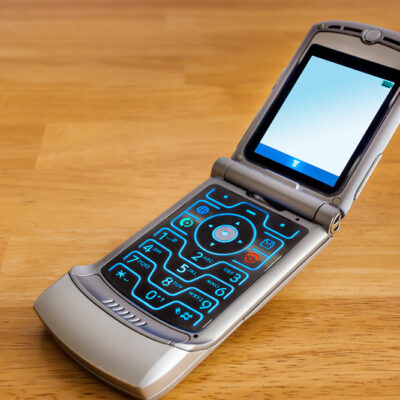
Flip phones still hold a cherished place in the hearts of many seniors due to their ease of use and reliability. Flip phones are the go-to choice for seniors who may not be very tech-savvy or prefer a device focusing on the essentials. These devices combine the nostalgia of a flip design with modern features tailored to the specific needs of older adults. Here is a list of popular flip phones ideal for seniors. Jitterbug Flip 2 The Jitterbug Flip 2, designed exclusively for seniors, tops the list. With its big buttons, easy-to-read display, and powerful speaker, it offers a user-friendly experience. One can make calls, send texts, and even take pictures with its built-in camera. The Jitterbug Flip also includes a 5Star Urgent Response button for immediate assistance in emergencies. Alcatel Go Flip 4 Alcatel’s Go Flip 4 boasts a spacious keypad with large, easy-to-press buttons and a bright external display for quick access to notifications. The Go Flip 4 includes a 2MP camera for capturing memories and sharing moments with family and friends. Its user-friendly interface simplifies navigation, making it an excellent choice for seniors who prefer straightforward functionality. With 4G LTE connectivity, this phone ensures fast and reliable communication.
Read More
7 Offers to Explore on the iPhone 14 Series

7 Offers to Explore on the iPhone 14 Series

The iPhone 14 series is still one of Apple’s top-of-the-line offerings that one can purchase at the Apple store or other third-party retail websites. Hundreds eagerly wait to upgrade to a new device or buy their first iPhone, lest they find a suitable offer on a preferred Apple smartphone. For those intrigued, here are seven offers on the iPhone 14 series that could help save money and make repayments easy. Apple – Trade-In 1. One of the most popular offers that customers may come across when they shop from the Apple website is Apple Trade-In. With this, they could get between $40 to $650 credit toward their new iPhone 14 or iPhone 14 Plus. One could get up to $800 for their trade-in when they finance with select carrier deals at Apple. One needs to answer a few questions to estimate their trade-in value and pick their payment methods, after which Apple will mail the customer a trade-in kit. The customer must ship their trade-in device within 14 days of receiving the kit. Once the device is shipped, a team at Apple will inspect and verify its condition. More details about Apple trade-in can be found directly on Apple’s website.
Read More
Top 6 Tablets Under $100 in 2023

Top 6 Tablets Under $100 in 2023

Brands today try to design, manufacture, and sell tablets that cater to those who want a good-quality and affordable product. Therefore, if one is on a budget and looking for a tablet at $100 or below, a decent option might be available. These include basic features, including surfing the Internet, watching entertaining or informative content, listening to music, making calls, and playing certain games. Here are the top eight budget tablets available in 2023 under $100: 1. Lenovo Tab M8 Gen 4 At about $95 on various retail websites, the Lenovo Tab M8 (HD) is one of the most affordable tablets under $100. The device enables users to stream content seamlessly with an 8-inch screen, 2 GB of RAM, and a MediaTek® Helio A22 processor. Lenovo also includes 32GB of onboard storage to access important files without buying additional storage. 2. Samsung Galaxy Tab A 7.0 The tablet is suitable for kids to play simple games, browse the internet, or watch shows seamlessly with its 7-inch touchscreen. One also gets other features like 1.5GB of RAM and 8GB of storage on the tablet. As for the price, the Samsung Galaxy Tab A 7.0 has a retail price of about $74, based on where the user purchases it.
Read More
11 Ways to Improve the Samsung Galaxy S23 User Experience

11 Ways to Improve the Samsung Galaxy S23 User Experience

Smartphones help fulfill several daily responsibilities, from shopping to financial planning. The latest models have cutting-edge technologies that make life easier. Samsung’s Galaxy S23, released in February 2023, is among the most sought-after picks among such smartphones. But unfortunately, some users are not well-versed with the device’s features and hence fail to use it to its full potential. Here are some ways to improve one’s experience while using the Samsung Galaxy S23. 1. Customize the lock screen While older Galaxy models also offer multiple lock-screen customization options, the Samsung Galaxy S23 raises the bar. One can customize almost every aspect of the lock screen, from the clock and widgets to the design of the notifications appearing here. For example, one can adjust the settings so widgets appear upon touching the clock. Users can also add exciting animations to the weather information that appears on the lock screen in this version of the Galaxy smartphone. 2. Check out the image clipping option Clipping is yet another new addition to the Galaxy lineup. The Samsung Galaxy S23 allows users to clip out any element of an image and save it as a separate image or share it on social media. To access this feature, one must long-press an image and wait until they receive visual and haptic feedback that the image has been clipped.
Read More
15 Hidden Samsung Watch Hacks Users Must Try Today

15 Hidden Samsung Watch Hacks Users Must Try Today

The smartphone market has witnessed remarkable growth, and Samsung has been consistent. In their latest Galaxy Watch series, including the Watch 5 and 6, the brand has introduced impressive functionalities that can replace several standalone devices, such as blood pressure monitors and fall detectors. To fully leverage the potential of these smartwatches, it’s crucial to explore their hidden hacks and features. Here are some lesser-known capabilities of Samsung Galaxy watches that users should be aware of. Trackback during workouts Incorporating a valuable tool for fitness enthusiasts, the Samsung Galaxy Watch 5 and 6 allow users to seamlessly navigate their way back along the exact path they came from during workouts. This innovative feature ensures one never loses the way, providing peace of mind while exploring new routes. Pause workout during fitness tracking For those dedicated to meticulously monitoring their health and fitness, the ability to pause workouts is a game-changer. Tracking one’s heart rate, distance, calorie burn, and other metrics will be paused when one wants to take a breather or pause by the road for a quick chat. This feature ensures that users can maintain the accuracy of their fitness metrics and that brief breaks or unexpected interruptions do not compromise their data.
Read More
4 Key Features of the Samsung Galaxy Z Fold Series

4 Key Features of the Samsung Galaxy Z Fold Series

Samsung came up with its first foldable smartphones in 2019, causing a stir in the market. Since then, the brand has continued to improve upon the foldable technology as well as the phone performance. The latest in the series, the Samsung Galaxy Z Fold5, is a great example of such upgrades. So, if one is considering investing in a folding smartphone, here is all they should know about the Galaxy Z Fold series: Overview The Galaxy Z phones come with a hinge and ultra-flexible Corning Gorilla Glass Victus, which is what makes the foldable design possible without the risk of breaking or shattering the screen. The Z series consists of two different styles—the Fold and the Flip. Here, the Galaxy Z Fold series comprises large, horizontally foldable phones that can switch between tablet and phone modes. Here is a look at the features of the latest models: Key features 1. Design The Samsung Galaxy Z Fold4 comes with a 6.2-inch cover screen, which, when unfolded, turns into a 7.6-inch screen. The tablet-like screen size enhances the viewing experience for users, especially while gaming or watching something. Users can also go hands-free with the device by setting it up at an angle when somewhat unfolded.
Read More
8 Key Features of the iPhone 15 Series to Consider

8 Key Features of the iPhone 15 Series to Consider

The iPhone 15 series is a testament to Apple’s relentless pursuit of excellence in mobile technology. Building on the successes of the iPhone 14, these new models bring many innovative features and improvements that promise to elevate the user experience. This highly anticipated launch has promised users a host of innovative features. With each model poised to offer a plethora of benefits, the iPhone 15 series stands as one of the most sought-after purchases during the upcoming Black Friday sale. Design and display The iPhone 15 series exhibits a refined and ergonomic design. The seamless integration of glass and aluminum not only lends a premium feel but also ensures durability. The introduction of Ceramic Shield technology further fortifies the front cover, providing industry-leading drop performance. Each model comes with its unique display specifications. The iPhone 15 boasts a 6.1-inch Super Retina XDR OLED display, providing vivid colors and deep blacks. The Pro models, however, take it a step further. The iPhone 15 Pro features a 6.1-inch ProMotion XDR display with ProMotion technology, offering a 120Hz refresh rate for smoother scrolling and fluid animations. On the other hand, the iPhone 15 Pro Max boasts a larger 6.7-inch ProMotion XDR display, providing an immersive viewing experience.
Read More
6 Common Mistakes to Avoid When Switching Phone Carriers

6 Common Mistakes to Avoid When Switching Phone Carriers

People switch phone carriers for several reasons, like better services, more competitive plans, improved coverage, extra features, and faster internet download and upload speeds. However, during the transition process, many make mistakes that cost them financially and lead to unexpected hassles and headaches. Regardless of why one is changing their phone carriers, they must note these six potential pitfalls and learn how to sidestep them for a seamless and trouble-free carrier switch. 1. Not researching multiple carriers One must shop around for a while when choosing anything, be it a phone carrier or another product. Customers should research different carriers and learn about their plans, network coverage, and pricing. Comparing can help determine which company is most suitable for one’s needs. On the other hand, overlooking research can cause a person to choose a carrier that charges more while providing poor-quality services. Consequently, one may have to face connection issues and subpar data speed. 2. Failing to compare plans by different carriers While researching different carriers, one must pay close attention to the plans they offer. Doing so is crucial because the market is flooded with different plans from different carriers, making it easy to choose the wrong one. One must choose a carrier with plans that are reasonably priced yet feature-rich.
Read More
7 Ways to Elevate the Google Pixel User Experience

7 Ways to Elevate the Google Pixel User Experience

The Google Pixel is loaded to the brim with exciting features. Using these features will not only save time for users but also, in many cases, prolong battery life. As a result, one can genuinely customize their Pixel devices in multiple ways to make their experience with them even better than it already is. However, not all users may know the Pixel’s qualities and capabilities. Therefore, here are some hacks to be familiar with: Automatically screening incoming calls Receiving unknown calls can be tricky, especially from a new number. To combat this, Pixel phones have a Call Screen feature to eliminate the feeling. This feature lets the phone answer calls for users. Users can see the real-time conversation between the caller and Google Assistant when they activate this in the settings. Additionally, users can completely screen calls to let it happen automatically. Using these features, one can screen or silently decline spam calls without being notified. Creating app-specific shortcuts Multiple apps in the Google Pixel 7, Google Pixel 7 Pro, Google Pixel 8, Google Pixel 8 Pro, Google Pixel Fold, and older variants have apps with quick-access functions to let users open them with a brief press-and-hold on the icon of the app.
Read More
Showing 31-40 Results of 48

2345

  • About Us
  • Contact Us
  • Privacy Policy
  • Advertiser Information
  • Terms of Service

© 2025 GoodBandwidth.com. All Rights Reserved.

e